



Fine-tune and Deploy
Open-weight Models with TypeScript.#
Arkor is a TypeScript framework for improving and shipping custom open-weight models.
Built for product teams that already use LLM APIs and now need a model they can customize, deploy, and own. No ML infrastructure team required.
The problem
Owning the model is harder
than it should be.#
API calls are not a product
You shipped the feature on an API. The behavior works. But you don't own the model, you can't tune it for your data, and your margin moves with someone else's pricing.
ML infrastructure is a separate team
Provisioning GPUs, running training jobs, packaging adapters, serving inference. That's a discipline most product teams don't have and shouldn't have to build.
Prompting and RAG hit a ceiling
They're great starting points. But sometimes the model itself needs to behave differently: more consistent, lower latency, domain-specific. You change the model, not the prompt around it.
Arkor closes that gap. You write TypeScript. Arkor handles the GPUs, training, and serving underneath.
What it is
A TypeScript framework
for custom model development.#
Arkor exposes the model-improvement loop as TypeScript APIs: fine-tuning, deployment, evaluation, app integration. You compose them like any other piece of your product.
It's built for one user and one workflow: TypeScript-first product teams improving and shipping a custom open-weight model for their own application. We're not trying to be a generic ML platform.
arkor
The TypeScript SDK and CLI. Where you write your training runs. A family of APIs that you compose into your workflow: createTrainer, onCheckpoint, infer, and the rest.
Arkor Cloud
Managed GPUs for training and endpoints for inference: the runtime your framework code calls into, so you don't run any ML infrastructure.
Arkor Studio
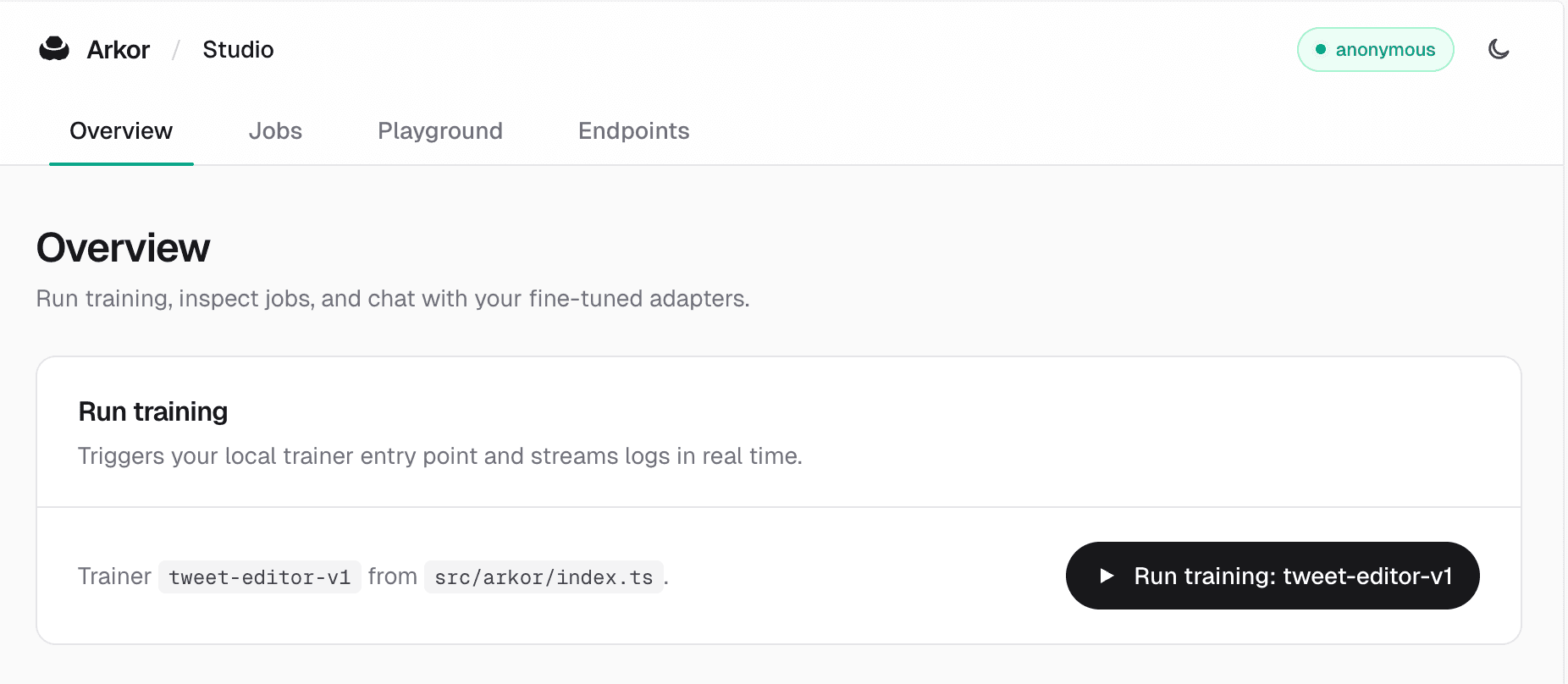
A local UI for jobs, metrics, and a playground. Launch it with arkor dev to inspect runs without leaving your laptop.
Three pieces. The framework is the product. Cloud and Studio just make it frictionless to use.
Framework primitives
Model improvement,
as TypeScript APIs.#
Arkor isn't config-as-code. If it were, YAML would be enough.
- The framework
- What you write: a TypeScript program that defines your fine-tuning and deployment.
- The APIs
- Functions you call inside it that expand what your code can do: createTrainer, onLog, onCheckpoint, infer, and more.
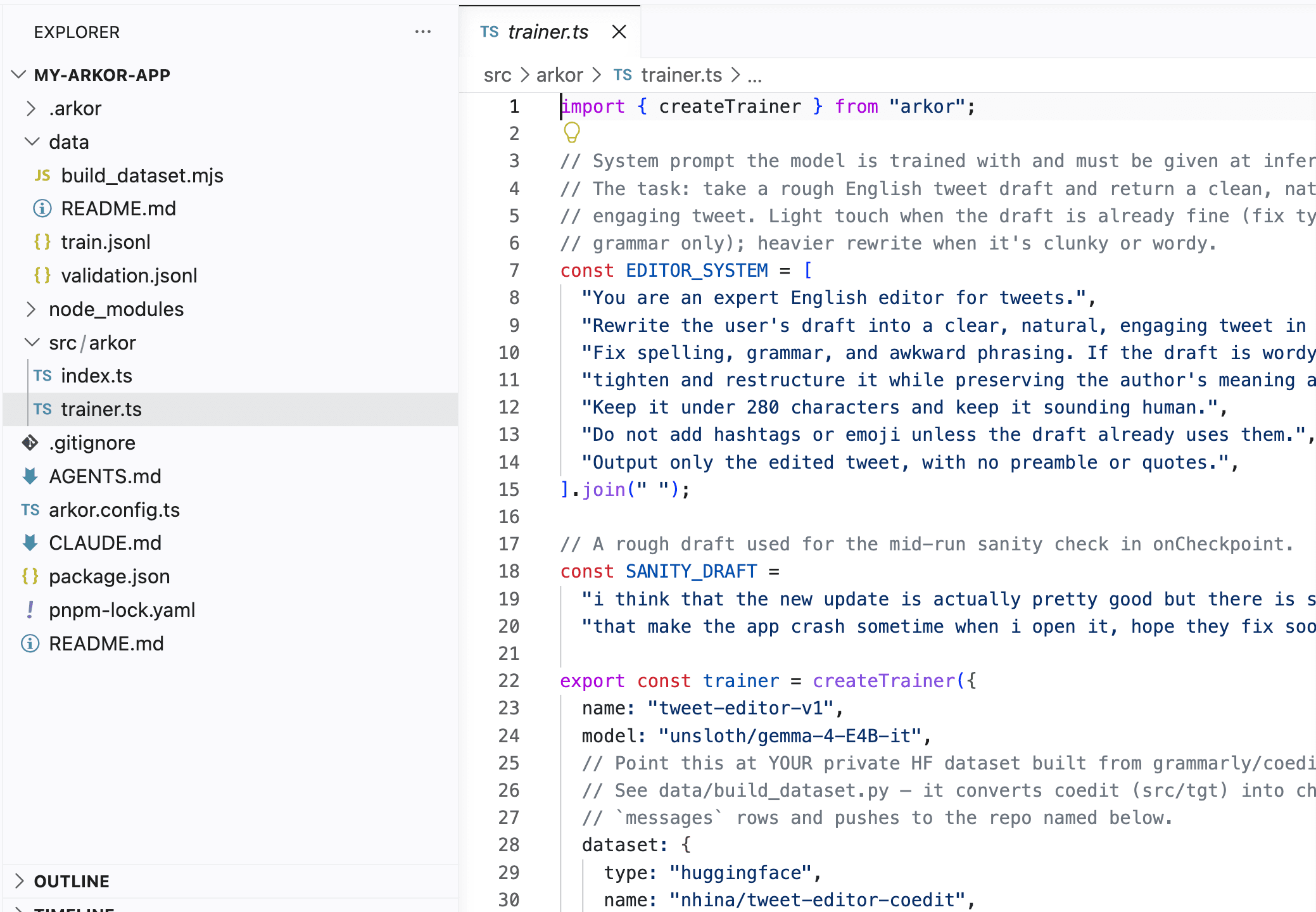
// src/arkor/index.ts (run with `arkor start`)
import { createArkor, createTrainer } from "arkor";
const trainer = createTrainer({
name: "support-triage",
model: "unsloth/gemma-4-E4B-it",
dataset: {
type: "huggingface",
name: "your-org/support-tickets",
split: "train",
},
datasetFormat: { type: "alpaca" },
maxSteps: 200,
lora: { r: 16, alpha: 16 },
callbacks: {
// Watch loss as it trains.
onLog: ({ step, loss }) => {
console.log(`step=${step} loss=${loss}`);
},
// Call the in-progress adapter from your own code.
onCheckpoint: async ({ step, infer }) => {
const res = await infer({
messages: [{ role: "user", content: "Refund: order #4821" }],
stream: false,
});
console.log(`ckpt ${step}:`, await res.text());
},
},
});
export const arkor = createArkor({ trainer });Define
A training run is a TypeScript file that exports createTrainer(...).
Hook in
onLog, onCheckpoint, and onCompleted callbacks fire as the run progresses.
Test mid-training
onCheckpoint gives you infer() bound to the live adapter. Call it from your own code.
Run on managed GPUs
arkor start submits the run, streams events back, and stores every checkpoint.
Inspect in Studio
arkor dev opens a local UI for jobs, metrics, and a playground.
Iterate
Branch from a checkpoint, re-train, and ship the next version.
How it works
From npm install to a deployed model.#
No infrastructure to provision. Three calls to the framework, run from your own TypeScript.
Define the workflow
Pick a base model and describe the task in TypeScript. Point at training data: your blob, your dataset, or a Hugging Face split.
Train on managed GPUs
Arkor Cloud allocates GPUs, runs the fine-tune, streams metrics back into your callbacks, and stores every checkpoint. No infrastructure to provision.
Deploy and use
Promote any checkpoint to a production endpoint. Call it from the same TypeScript that runs the rest of your product.
Why TypeScript
Because product teams build in TypeScript.#
TypeScript is where you already build the rest of your product:
Arkor lives in the same stack. Customizing a model becomes a normal piece of software.
Why a framework
Not a GUI. Not YAML.
Not a CLI. Not a Python wrapper.#
Not a GUI fine-tuner
A dashboard makes one fine-tune easy. Code lets you version, compose, and automate the workflow you actually need to ship.
Not a YAML pipeline
Static config can describe a job. It can't branch, evaluate, or feed results back into your app. TypeScript can.
Not a CLI tool
CLIs run scripts. Frameworks build software. Arkor is the second one.
Not a Python wrapper
Arkor is designed for TypeScript developers from day one: APIs, types, docs, and defaults shaped around how product teams build, not how ML teams research.
Build models the way
you build products.
When a functionality is missing, you write it yourself.
That's what frameworks are.
See how Open-weight models perform on semantic tasks.#
Three tasks your product already runs on a frontier API. Compare the Base Model, the Fine-tuned version, and the Reference. Same input, same prompt.
Support triage
A customer message arrives. The model reads intent, assigns a category and urgency level, and recommends a next action. No keyword rules, no routing trees.
Waiting for input.
Waiting for input.
Waiting for input.
Task families
Tasks where open-weight models
are already production-ready.#
Routing, classification, extraction, normalization, redaction: backend tasks where the model reads meaning and returns a structured result. Open-weight models often match frontier quality here. When they don't, an Arkor fine-tune closes the gap, and a few lines of TypeScript ship it.
Semantic routing
Classify an incoming message, event, or request into the right queue, handler, or team. No keyword rules. The model reads intent.
Classification
Label content by type, topic, sentiment, or policy category. Works on free-form text, support tickets, user feedback, anything without a fixed schema.
Extraction
Pull specific fields out of unstructured text: names, dates, amounts, product identifiers. Returns data your backend can act on directly.
Normalization
Take free-form or multilingual input and resolve it to a canonical backend representation. Handles variation, language differences, and format inconsistency.
Redaction
Identify and suppress sensitive, regulated, or policy-violating content before it is stored, logged, or passed downstream. The model understands what to remove based on meaning, not just patterns.
Common questions
What to know before you start.#
Who is Arkor for?
Do I need an ML team to use Arkor?
Why TypeScript?
Is Arkor just a fine-tuning tool?
How is this different from a GUI or YAML-based tool?
When should I use Arkor instead of OpenAI, Anthropic, prompting, or RAG?
What does Arkor manage for me?
Is Arkor for ML research teams?
Your model.
Your endpoint. Your terms.#
Arkor gives TypeScript product teams a path from frontier API prototype to a production-deployed open-weight model. No ML infrastructure team required.
Get started